
Workforce Analytics Software for Coaching Institutes: Transforming Education Management with Smart Insights
In today’s highly competitive education sector, coaching institutes are no longer managed only with spreadsheets and manual attendance sheets. Modern institutes require intelligent systems that can monitor faculty performance, student engagement, workforce productivity, scheduling efficiency, and operational growth. This is where workforce analytics software Coaching Institutes solutions become essential.
From managing teachers and counselors to tracking administrative staff productivity, analytics-driven workforce systems help institutes make informed decisions. Educational organizations that embrace workforce intelligence gain better operational control, improve employee efficiency, and deliver enhanced learning experiences.
Among the emerging platforms helping institutions modernize operations, BiOKnox provides advanced workforce automation tools designed to simplify workforce management, attendance tracking, scheduling, payroll monitoring, and employee analytics for educational environments.
What is Workforce Analytics Software?
Workforce analytics software is a digital solution that collects, analyzes, and interprets employee-related data to improve workforce productivity and organizational performance. In coaching institutes, it helps management monitor teacher attendance, staff efficiency, classroom utilization, workload distribution, and operational productivity.
Unlike traditional HR systems, analytics software provides actionable insights through dashboards, reports, trends, and predictive analysis.
Key Functions Include:
- Employee attendance tracking
- Faculty productivity analysis
- Shift and timetable management
- Payroll and leave analytics
- Staff performance reports
- Workforce forecasting
- Resource allocation tracking
- Real-time operational insights
For educational institutions handling multiple branches and hundreds of employees, workforce analytics software Coaching Institutes solutions reduce manual errors and improve decision-making.
Why Coaching Institutes Need Workforce Analytics Software
The education industry has evolved rapidly. Institutes now manage:
- Multiple faculty members
- Administrative teams
- Counselors
- Marketing staff
- Online educators
- Support staff
Manual management creates operational challenges such as:
- Attendance discrepancies
- Inefficient scheduling
- Payroll inaccuracies
- Lack of productivity visibility
- Poor workforce planning
Analytics software solves these issues by providing centralized workforce intelligence.
Major Benefits for Coaching Institutes
1. Improved Faculty Productivity
Institute owners can analyze:
- Teaching hours
- Student engagement
- Class completion rates
- Faculty punctuality
- Performance consistency
This helps identify top-performing educators and optimize teaching schedules.
2. Better Attendance Monitoring
Biometric and cloud-based attendance systems reduce proxy attendance and manual errors. Real-time tracking ensures accountability across all departments.
3. Smart Timetable Optimization
Analytics tools identify scheduling conflicts, idle hours, and classroom utilization gaps, helping institutes maximize operational efficiency.
4. Data-Driven Decision Making
Management can make informed staffing decisions based on analytics instead of assumptions.
5. Reduced Administrative Work
Automation eliminates repetitive HR tasks like:
- Manual attendance entries
- Salary calculations
- Leave approvals
- Shift planning
Features of Workforce Analytics Software for Coaching Institutes
A modern workforce analytics software Coaching Institutes platform offers comprehensive tools for workforce optimization.
Real-Time Attendance Analytics
Institutes can track:
- Late arrivals
- Absenteeism patterns
- Overtime hours
- Branch-wise attendance
This improves workforce discipline and operational transparency.
Faculty Performance Dashboard
Performance dashboards help management evaluate:
- Teaching effectiveness
- Student feedback trends
- Class completion ratios
- Productivity scores
Payroll and Salary Insights
Automated payroll integration reduces human errors while generating accurate salary reports.
Leave and Shift Management
The software simplifies:
- Leave approvals
- Shift rotation
- Faculty substitution planning
- Workload balancing
Multi-Branch Workforce Tracking
Large coaching chains can monitor workforce operations across different branches from a centralized dashboard.
Predictive Workforce Planning
Advanced analytics predict staffing needs during:
- Admission seasons
- Examination periods
- Special batches
- Competitive exam schedules
How Workforce Analytics Improves Student Experience
Efficient workforce management directly impacts educational quality.
Better Faculty Allocation
Institutes can assign experienced teachers based on:
- Subject expertise
- Batch performance
- Student requirements
Reduced Class Disruptions
Analytics-based scheduling minimizes:
- Faculty shortages
- Last-minute substitutions
- Timing conflicts
Improved Staff Coordination
Administrative teams become more responsive when workforce operations are streamlined.
Enhanced Communication
Integrated workforce systems improve coordination between:
- HR teams
- Academic coordinators
- Faculty members
- Management.
Challenges Coaching Institutes Face Without Workforce Analytics
Institutes relying on traditional management methods often experience operational inefficiencies.
Common Problems Include:
- Inaccurate attendance records
- Payroll disputes
- Poor employee accountability
- Scheduling confusion
- Excessive paperwork
- Lack of workforce visibility
- Difficulty tracking employee performance
Without proper analytics, institute management cannot accurately measure productivity or identify operational bottlenecks.
Role of Cloud Technology in Workforce Analytics
Cloud-based workforce systems provide flexibility and remote accessibility.
Advantages of Cloud Workforce Solutions
- Access reports from anywhere
- Secure employee data storage
- Real-time synchronization
- Easy software scalability
- Faster implementation
- Lower IT infrastructure costs
Institutes operating across multiple cities benefit significantly from cloud workforce management platforms.
How BiOKnox Supports Coaching Institutes
Modern educational organizations need workforce solutions tailored to academic operations. BiOKnox helps institutes automate and optimize workforce management through intelligent analytics and centralized monitoring.
Key Advantages of BiOKnox
- Automated attendance management
- Employee productivity tracking
- Smart scheduling tools
- Payroll integration
- Leave management automation
- Real-time workforce dashboards
- Multi-location management support
The platform enables institutes to improve operational accuracy while reducing administrative workload.
Workforce Analytics and HR Automation
HR automation plays a major role in improving coaching institute operations.
HR Tasks Automated Through Analytics Software
- Employee onboarding
- Attendance monitoring
- Leave processing
- Salary generation
- Shift management
- Performance reporting
This allows HR teams to focus on employee engagement and institutional growth rather than repetitive paperwork.
Importance of Data Analytics in Educational Workforce Planning
Data analytics helps institutions identify patterns and trends that influence workforce productivity.
Valuable Workforce Metrics Include:
- Faculty attendance trends
- Employee turnover rate
- Average teaching hours
- Productivity comparison
- Staff utilization ratio
- Payroll expense analysis
Institutes can use these insights to:
- Reduce operational costs
- Improve faculty retention
- Optimize staffing levels
- Increase efficiency
Choosing the Right Workforce Analytics Software
Selecting the right solution is critical for long-term operational success.
Important Factors to Consider
Scalability
The platform should support future expansion and additional branches.
User-Friendly Interface
Staff members should easily access reports and dashboards.
Integration Capabilities
The software should integrate with:
- Payroll systems
- Biometric devices
- HR modules
- Scheduling platforms
Data Security
Educational institutions handle sensitive employee data, making security essential.
Custom Reporting
Institutes should be able to generate tailored workforce reports.
Future Trends in Workforce Analytics for Coaching Institutes
The future of workforce management is driven by AI, automation, and predictive analytics.
Emerging Trends Include:
- AI-powered workforce forecasting
- Automated performance evaluations
- Mobile workforce management apps
- Advanced biometric integrations
- Predictive attendance analysis
- Employee engagement analytics
As competition grows, institutes using smart workforce analytics will gain a major operational advantage.
Why Workforce Efficiency Matters in Education
Educational institutions depend heavily on human resources. Even the best curriculum can fail without proper workforce coordination.
Efficient Workforce Management Helps:
- Improve teaching quality
- Reduce administrative stress
- Increase employee accountability
- Enhance institutional reputation
- Deliver better student outcomes
Implementing workforce analytics software Coaching Institutes solutions allows institutes to build a data-driven operational environment that supports sustainable growth.
Cost Savings Through Workforce Analytics
Many institutes hesitate to adopt analytics software due to budget concerns. However, automation significantly reduces operational expenses over time.
Cost Reduction Areas:
- Manual administrative work
- Payroll errors
- Overtime mismanagement
- Attendance fraud
- Inefficient staffing
Institutes can reinvest saved resources into academic improvements and expansion strategies.
Building a Data-Driven Coaching Institute
Data-driven institutions outperform competitors because they rely on measurable insights rather than assumptions.
Analytics Helps Management:
- Identify operational inefficiencies
- Improve employee performance
- Optimize schedules
- Monitor workforce productivity
- Plan future staffing needs
With increasing competition in the education sector, smart workforce management has become a necessity rather than an option.
Conclusion
The education sector is rapidly adopting digital transformation, and workforce intelligence is becoming a critical part of institutional success. Coaching institutes must efficiently manage faculty, administrative teams, counselors, and operational staff to maintain quality education and sustainable growth.
Implementing workforce analytics software Coaching Institutes solutions enables institutions to automate workforce operations, improve productivity, reduce administrative burden, and make data-driven decisions. From attendance monitoring to predictive workforce planning, analytics platforms offer complete visibility into workforce performance.
Solutions like BiOKnox help coaching institutes modernize workforce management through automation, real-time analytics, and centralized operational control. Institutes that invest in workforce analytics today will be better prepared to scale efficiently and compete in the evolving education industry.
FAQs
1. What is workforce analytics software for coaching institutes?
Workforce analytics software helps coaching institutes monitor employee productivity, attendance, scheduling, payroll, and workforce performance using real-time data insights.
2. How does workforce analytics improve coaching institute operations?
It automates workforce processes, improves scheduling efficiency, reduces payroll errors, and provides detailed employee performance insights.
3. Why do coaching institutes need workforce analytics software?
Coaching institutes manage large teams of teachers and staff. Analytics software improves operational efficiency, accountability, and workforce planning.
4. Can workforce analytics software manage multiple coaching branches?
Yes, modern workforce management platforms support centralized monitoring for multi-branch educational organizations.
5. How does BiOKnox help coaching institutes?
BiOKnox offers attendance management, workforce analytics, payroll automation, scheduling tools, and employee productivity tracking designed for educational institutions.
Contract Labour Management System for Mining Industry: Improving Workforce Safety, Compliance, and Productivity
The mining industry operates in one of the most demanding work environments in the world. From underground mining operations to large-scale open-pit projects, managing a contract workforce efficiently is critical for maintaining safety, productivity, and regulatory compliance. Mining companies often rely on contractors for excavation, drilling, transportation, equipment handling, maintenance, and security services. However, handling a large temporary workforce manually can create operational challenges, compliance risks, and safety concerns.
A modern contract labour management system Mining Industry solution helps mining companies streamline contractor onboarding, attendance tracking, wage processing, compliance monitoring, and workforce safety management. With automation and real-time workforce visibility, mining businesses can reduce risks while improving operational efficiency.
In today’s highly regulated industrial environment, organizations are shifting from manual workforce handling methods to digital platforms that offer centralized management and better decision-making. This transition has made workforce automation essential for mining operations that depend heavily on contract workers.
Why Contract Labour Management is Important in Mining ?
Mining projects usually involve multiple contractors working across various sites and shifts. Managing contractor data manually through spreadsheets or paper-based records often results in inefficiencies and compliance issues.
Some major challenges faced by mining companies include:
- Difficulty in tracking contractor attendance across remote locations
- Delays in wage calculations and payroll processing
- Non-compliance with labour laws and safety regulations
- Unauthorized worker entry into mining sites
- Lack of real-time visibility into workforce deployment
- Inaccurate shift scheduling and overtime management
- Challenges in monitoring worker certifications and training
These issues can lead to financial losses, operational delays, and safety risks. Implementing a digital contractor workforce solution allows mining companies to address these concerns effectively.
What is a Contract Labour Management System?
A contract labour management system is a digital platform designed to automate and optimize contractor workforce operations. It helps organizations manage contractor attendance, access control, payroll, compliance documentation, and workforce analytics from a centralized dashboard.
For mining companies, the software becomes even more critical because it supports:
- High-volume contractor workforce handling
- Remote site workforce monitoring
- Safety compliance tracking
- Shift-based labour allocation
- Contractor document verification
- Real-time attendance synchronization
An advanced contract labour management system Mining Industry platform ensures that mining operations remain efficient, compliant, and secure.
Key Features of a Contract Labour Management System for Mining Industry
1. Contractor Onboarding and Verification
Mining companies work with multiple vendors and contractors. Manual onboarding can consume significant time and create documentation errors.
Digital onboarding enables organizations to:
- Verify worker identity documents
- Store contractor agreements digitally
- Validate certifications and training records
- Track medical fitness reports
- Maintain centralized contractor databases
This process improves workforce transparency and reduces administrative workload.
2. Biometric Attendance Tracking
Accurate attendance management is crucial in mining operations. Biometric attendance systems integrated with workforce software help eliminate buddy punching and attendance manipulation.
Benefits include:
- Real-time attendance capture
- GPS-enabled workforce tracking
- Shift-wise attendance monitoring
- Automated overtime calculations
- Reduced payroll discrepancies
Mining companies operating across multiple locations benefit greatly from centralized attendance visibility.
3. Compliance and Labour Law Management
Mining organizations must comply with various labour laws, safety regulations, and contractor compliance standards.
A digital compliance management solution helps:
- Monitor contractor license validity
- Maintain statutory records
- Generate compliance reports
- Track PF and ESI contributions
- Store audit-ready documentation
Using a contract labour management system Mining Industry solution reduces the risk of penalties and legal complications.
4. Shift Scheduling and Workforce Allocation
Mining operations run continuously in multiple shifts. Proper workforce scheduling is necessary to maintain productivity.
Automated scheduling tools help companies:
- Assign workers to shifts efficiently
- Avoid workforce shortages
- Track overtime and extra hours
- Optimize manpower utilization
- Reduce scheduling conflicts
Smart workforce planning improves operational continuity.
5. Access Control and Safety Monitoring
Safety is the highest priority in mining environments. Unauthorized access to hazardous zones can create severe risks.
Integrated access control systems help:
- Restrict unauthorized entry
- Allow access based on certifications
- Monitor worker movement
- Improve emergency response management
- Track workers inside mining zones
These capabilities significantly enhance workforce safety standards.
Benefits of Using Contract Labour Management Software in Mining
Improved Workforce Productivity
Automation minimizes manual administrative tasks and allows HR teams to focus on strategic workforce planning. Accurate attendance tracking and workforce allocation improve labour productivity.
Better Compliance Management
Mining industries face strict regulatory scrutiny. A centralized compliance management system ensures proper documentation and reduces legal risks.
Enhanced Worker Safety
Safety training records, access control systems, and real-time workforce tracking help organizations maintain a safer work environment.
Reduced Payroll Errors
Automated attendance integration with payroll systems minimizes wage calculation mistakes and ensures timely salary disbursement.
Real-Time Workforce Visibility
Managers gain complete visibility into contractor deployment, attendance trends, and workforce performance from a centralized dashboard.
Cost Optimization
Automation reduces paperwork, minimizes administrative overhead, and prevents unnecessary labour expenses caused by inaccurate attendance records.
How Digital Workforce Management Supports Mining Operations
Mining companies often operate in remote and challenging locations where workforce visibility becomes difficult. Digital workforce systems solve this challenge by providing cloud-based access and mobile connectivity.
Key operational improvements include:
- Real-time workforce monitoring
- Faster contractor approvals
- Instant report generation
- Mobile-based attendance management
- Centralized contractor database access
Mining organizations can make data-driven workforce decisions more efficiently.
Role of Automation in Mining Workforce Management
Automation has transformed workforce management in industrial sectors. Mining companies are increasingly investing in digital tools to simplify contractor handling processes.
Automation supports:
- Faster onboarding
- Paperless documentation
- Smart shift allocation
- Automated wage calculations
- Compliance alerts and reminders
- Real-time reporting
An automated contract labour management system Mining Industry platform enables organizations to reduce operational inefficiencies and improve workforce transparency.
Why Mining Companies Need Centralized Contractor Management
Mining projects involve multiple contractors handling specialized activities such as:
- Drilling operations
- Equipment maintenance
- Material transportation
- Excavation work
- Security management
- Infrastructure support
Without centralized management, tracking contractor activities becomes difficult. A unified workforce platform helps streamline operations and improve accountability.
Common Problems with Manual Labour Management
Many mining organizations still depend on manual workforce tracking methods. These outdated processes often create:
- Attendance fraud
- Payroll mismatches
- Delayed reporting
- Incomplete compliance records
- Poor workforce visibility
- Increased administrative burden
Digital workforce automation eliminates these inefficiencies and improves operational accuracy.
Importance of Real-Time Reporting in Mining
Mining businesses require accurate workforce data for operational planning and compliance reporting.
Real-time dashboards help management monitor:
- Contractor attendance
- Shift utilization
- Worker productivity
- Compliance status
- Site workforce distribution
- Overtime reports
Instant access to workforce insights improves decision-making and operational efficiency.
Integration with Payroll and HR Systems
Modern workforce management solutions integrate seamlessly with payroll and HR platforms.
This integration enables:
- Automated salary calculations
- Leave and attendance synchronization
- Contractor payment tracking
- Faster payroll processing
- Accurate overtime management
Integrated systems reduce manual data entry and improve payroll accuracy.
How BiOKnox Supports Mining Workforce Management
BiOKnox offers advanced workforce automation solutions designed to simplify contractor and labour management processes for industrial sectors. Mining companies can use the platform to manage attendance, compliance, payroll integration, shift scheduling, and workforce analytics efficiently.
With smart automation features, BiOKnox helps organizations improve workforce transparency while maintaining operational compliance and safety standards. The platform supports real-time monitoring and centralized workforce management, making it suitable for large-scale mining projects.
Future Trends in Contract Labour Management for Mining Industry
The future of mining workforce management is driven by digital transformation and intelligent automation.
Emerging trends include:
AI-Based Workforce Analytics
Artificial intelligence helps organizations predict workforce requirements, identify absenteeism patterns, and optimize labour deployment.
Mobile Workforce Management
Mobile-enabled platforms allow supervisors to monitor attendance and workforce activities from remote mining locations.
Cloud-Based Workforce Platforms
Cloud technology improves scalability, data security, and accessibility for multi-site mining operations.
IoT and Smart Safety Monitoring
IoT-enabled wearables and sensors help monitor worker safety conditions in real time.
Predictive Compliance Management
Advanced software can automatically identify compliance risks and generate alerts before violations occur.
These technologies are reshaping contractor workforce management across industrial sectors.
Best Practices for Implementing Labour Management Software in Mining
To maximize the benefits of workforce automation, mining companies should follow these practices:
- Conduct workforce requirement analysis
- Choose scalable software solutions
- Train HR and site supervisors properly
- Integrate attendance and payroll systems
- Monitor compliance regularly
- Use real-time analytics for workforce planning
A structured implementation approach ensures smoother digital transformation.
Choosing the Right Contract Labour Management Software
Before selecting software, mining organizations should evaluate:
- Scalability
- Compliance management capabilities
- Biometric integration support
- Mobile accessibility
- Real-time reporting features
- Payroll integration
- Multi-location workforce management
Choosing the right platform helps businesses improve efficiency while maintaining workforce safety and compliance.
Conclusion
The mining industry requires efficient workforce management systems to handle complex contractor operations, safety regulations, and compliance requirements. Manual processes often create operational inefficiencies and compliance risks that impact productivity and profitability.
A modern contract labour management system Mining Industry solution enables organizations to automate attendance tracking, contractor onboarding, payroll integration, compliance management, and workforce analytics. Digital transformation helps mining businesses improve safety, operational visibility, and workforce productivity.
BiOKnox Workforce Solutions provides advanced workforce management tools that help mining companies streamline labour operations while ensuring compliance and workforce transparency. By adopting intelligent workforce automation, mining organizations can build safer, more productive, and future-ready operations.
FAQs
1. What is a contract labour management system in the mining industry?
A contract labour management system is software designed to automate contractor workforce operations such as attendance tracking, compliance management, payroll processing, and workforce monitoring in mining projects.
2. Why is contractor management important for mining companies?
Mining companies rely heavily on contract workers for operations. Proper contractor management improves safety, compliance, workforce productivity, and operational efficiency.
3. How does biometric attendance help mining industries?
Biometric attendance systems eliminate attendance fraud, improve workforce accuracy, automate overtime calculations, and provide real-time attendance visibility.
4. Can labour management software improve compliance?
Yes, workforce software helps organizations maintain statutory records, track contractor licenses, monitor compliance requirements, and generate audit-ready reports.
5. What features should mining companies look for in workforce management software?
Mining organizations should look for attendance tracking, compliance monitoring, payroll integration, shift scheduling, access control, real-time reporting, and mobile workforce management features.
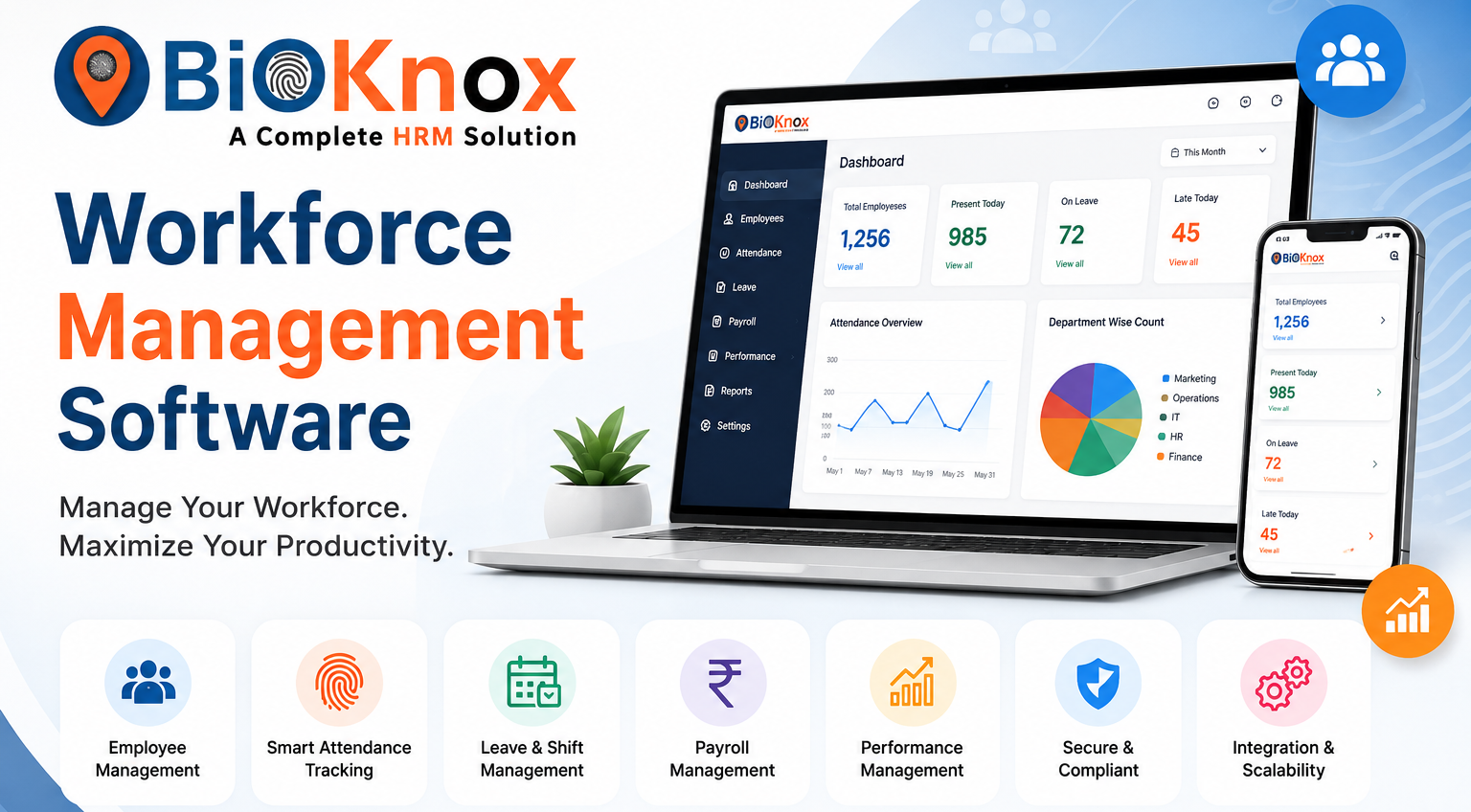
Remote work has transformed the software development industry. Development teams now collaborate across cities, countries, and time zones. While this model improves flexibility and productivity, it also creates new HR and workforce management challenges. One of the biggest challenges is managing employee leave efficiently. A modern leave system for remote teams Software Development Companies is no longer optional—it is essential for productivity, transparency, compliance, and employee satisfaction.
Software development companies operate with tight deadlines, sprint cycles, product launches, and client delivery schedules. Even a single unplanned absence can impact project timelines. Without a structured leave management process, managers struggle with visibility, developers experience communication gaps, and HR teams spend unnecessary time handling manual approvals.
This is where advanced workforce management platforms like BiOKnox help organizations automate and streamline leave tracking for distributed software teams.
Understanding the Need for a Leave System in Remote Software Teams
Remote software development teams often work asynchronously. Developers, testers, DevOps engineers, UI/UX designers, and project managers may operate in different time zones. In such environments, managing employee availability becomes critical. A professional leave system for remote teams Software Development Companies helps organizations:
- Track employee leave requests in real time
- Avoid project resource conflicts
- Improve transparency among teams
- Reduce manual HR workload
- Ensure compliance with labor policies
- Maintain productivity during employee absences
Traditional spreadsheets and email approvals cannot handle the complexity of modern distributed software teams. Automated leave systems create centralized visibility for HR managers and project leads.
Why Software Development Companies Need Smart Leave Management
1. Agile Project Management Requires Workforce Visibility
Software companies follow Agile and Scrum methodologies where sprint planning depends heavily on resource allocation. If developers take leave unexpectedly, sprint goals may fail.
An automated leave system for remote teams Software Development Companies gives project managers visibility into planned absences before sprint assignments are finalized.
This helps companies:
- Prevent workload imbalance
- Allocate backup developers
- Maintain delivery timelines
- Reduce client escalation risks
2. Remote Teams Need Better Communication
In remote work environments, employees cannot simply walk into HR cabins or manager offices. Communication delays can create confusion about leave balances, approvals, and attendance.
Modern leave management software enables:
- Self-service leave applications
- Instant notifications
- Automated approval workflows
- Real-time leave balance tracking
These features improve employee experience significantly.
3. Reducing Administrative Burden on HR Teams
Manual leave tracking wastes HR productivity. HR professionals in software companies already manage recruitment, payroll, onboarding, compliance, and employee engagement.
Using an automated leave management platform reduces repetitive administrative tasks such as:
- Updating spreadsheets
- Verifying balances
- Sending approval reminders
- Generating leave reports
Solutions like BiOKnox simplify workforce administration for remote-first technology companies.
Key Features of an Effective Leave System for Remote Teams
A reliable leave system for remote teams Software Development Companies should include advanced features that support distributed workforce operations.
➔Centralized Leave Dashboard
A centralized dashboard allows managers and employees to view:
- Pending leave requests
- Team availability
- Holiday calendars
- Employee leave balances
- Approval status
This transparency improves operational planning.
➔Multi-Level Approval Workflow
Software development organizations usually have hierarchical approval structures involving team leads, project managers, HR, and department heads.
An automated system should support:
- Sequential approvals
- Department-specific workflows
- Emergency leave approvals
- Auto-escalation rules
➔Integration With Attendance and Payroll
Leave systems work best when integrated with:
- Attendance management software
- Payroll systems
- Workforce analytics tools
- Employee scheduling platforms
This integration eliminates duplicate data entry and payroll calculation errors.
➔Mobile Accessibility
Remote developers often work from multiple locations. Mobile-friendly leave systems allow employees to:
- Apply for leave instantly
- Upload supporting documents
- Track approval progress
- Receive notifications
Mobile access improves employee convenience.
➔Leave Policy Automation
Different software companies have different leave structures such as:
- Casual leave
- Sick leave
- Earned leave
- Compensatory off
- Maternity leave
- Paternity leave
- Work-from-home policies
An intelligent leave system for remote teams Software Development Companies automates policy calculations and accrual rules.
Common Challenges Faced Without a Leave Management System
➔Poor Resource Planning
Without centralized visibility, managers may unknowingly approve leave for multiple critical developers simultaneously.
This creates:
- Project delays
- Missed sprint deadlines
- Reduced software quality
- Increased employee stress
➔Payroll Errors
Manual leave tracking often results in incorrect salary deductions or inaccurate leave balance calculations.
Payroll inaccuracies negatively affect employee trust and HR efficiency.
➔Compliance Risks
Software companies operating globally must comply with varying labor regulations regarding paid leave and employee benefits.
Automated systems help maintain:
- Accurate records
- Audit trails
- Policy compliance
- Legal documentation
➔Employee Dissatisfaction
Remote employees expect digital-first HR experiences. Delayed approvals and unclear leave policies reduce employee satisfaction and retention.
A transparent leave system improves workplace culture and trust.
Benefits of Leave Automation for Remote Software Teams
➔Increased Productivity
When leave management becomes automated, managers spend less time on administration and more time on strategic tasks. Employees also avoid communication delays, improving workflow continuity.
➔Better Workforce Planning
The rapid growth of the IT and SaaS industry has transformed how companies hire, manage, and monitor their workforce. Today, many organizations depend on contract employees, third-party vendors, project-based professionals, remote teams, and outsourced manpower to maintain operational flexibility and reduce fixed employment costs. However, handling large numbers of contractual employees manually creates challenges related to attendance tracking, compliance management, payroll coordination, shift scheduling, workforce productivity, and vendor accountability. This is where a contract labour management system IT & SaaS industry becomes essential for businesses aiming to improve workforce efficiency and regulatory compliance.
As the IT ecosystem becomes increasingly dynamic, organizations need digital solutions that can automate workforce processes while ensuring transparency and security. A modern contract labour management system IT & SaaS companies use today helps HR teams, facility managers, and project leaders simplify employee onboarding, attendance management, workforce analytics, and contractor monitoring from a centralized platform. This not only improves operational efficiency but also minimizes administrative burden and compliance risks.
Why IT & SaaS Companies Need a Contract Labour Management System
The IT and SaaS sector often operates through multiple development teams, support units, customer service departments, and project-based operations. Most organizations hire temporary employees, consultants, freelancers, housekeeping staff, security personnel, technical contractors, and maintenance teams through third-party vendors. Managing these workers manually through spreadsheets or outdated systems creates inefficiencies and increases the possibility of human error.
A contract labour management system IT & SaaS organizations rely on helps automate contractor lifecycle management from onboarding to exit. It allows businesses to digitally verify documents, manage workforce records, track attendance in real time, monitor shift timings, and ensure compliance with labor laws. With automated workflows, companies can reduce paperwork and improve workforce visibility across multiple locations.
In modern SaaS environments where hybrid and remote work models are common, workforce tracking becomes even more complicated. Organizations require cloud-based workforce solutions that offer centralized access to attendance reports, employee records, shift schedules, and vendor performance. Advanced workforce management software enables HR teams to make informed decisions based on real-time workforce analytics.
Growing Challenges in Contract Workforce Management
The IT industry experiences constant workforce fluctuations due to changing project requirements and client demands. During large-scale projects, organizations may hire hundreds of contractual employees within a short period. Without proper systems, managing these workers becomes difficult and time-consuming.
Manual attendance tracking often leads to payroll inaccuracies and compliance issues. Vendor mismanagement can result in unauthorized workforce deployment, duplicate records, and poor accountability. In addition, organizations struggle with monitoring contractor working hours, overtime management, leave tracking, and shift planning.
Another major challenge is compliance management. IT and SaaS businesses must comply with labor laws, contractor regulations, wage standards, and workplace safety requirements. Failure to maintain proper records can result in penalties and legal complications. This is why businesses are increasingly adopting digital contractor management platforms to streamline operations.
A smart contract labour management system IT & SaaS enterprises implement provides automated compliance monitoring, centralized workforce data management, and real-time reporting capabilities. These features help companies reduce compliance risks while improving workforce productivity and operational control.
Digital Transformation in Workforce Management
The IT and SaaS industry has already embraced digital transformation in software development, cloud computing, and customer relationship management. Workforce operations are now following the same path. Businesses are replacing traditional manual methods with AI-powered workforce management systems that offer automation, biometric integration, cloud access, and real-time reporting.
Digital contract workforce management improves coordination between HR departments, vendors, and project managers. Companies can instantly monitor workforce availability, contractor attendance, project allocation, and employee productivity using centralized dashboards. Cloud-based systems also support remote access, allowing managers to supervise workforce activities from anywhere.
Modern workforce automation tools help organizations reduce operational delays and enhance workforce transparency. Automated alerts for document expiry, attendance anomalies, overtime violations, and compliance deadlines ensure smoother operations. Companies can also generate detailed workforce analytics reports for better planning and resource allocation.
Key Features of a Contract Labour Management System
A modern workforce solution offers several advanced features that improve contractor management and workforce efficiency. One of the most important capabilities is digital onboarding. Organizations can collect contractor documents, verify identity records, and maintain centralized employee databases through secure digital systems.
Attendance and shift management are equally important for IT companies operating 24/7 customer support and development teams. Biometric integration, mobile attendance, GPS tracking, and cloud-based access improve attendance accuracy and eliminate proxy entries. Automated shift scheduling ensures proper workforce allocation across projects and departments.
Vendor management is another critical aspect of workforce operations. Companies working with multiple contractors require transparent vendor tracking systems to monitor worker deployment, contract validity, invoice processing, and compliance records. A contract labour management system IT & SaaS organizations adopt enables businesses to manage vendor performance efficiently through centralized monitoring tools.
Payroll coordination also becomes easier with automated attendance integration. Accurate working hours, overtime records, and leave data can be synchronized with payroll systems to reduce calculation errors and salary disputes. Workforce analytics dashboards provide detailed insights into productivity trends, contractor utilization, absenteeism patterns, and workforce costs.
Enhancing Compliance and Security
Compliance management is a major concern for IT and SaaS organizations employing contract workers. Companies must maintain accurate records related to contractor licenses, employee documents, wage payments, attendance logs, and statutory compliance.
A digital contract workforce management solution simplifies compliance by automating record maintenance and generating audit-ready reports. Organizations can receive real-time alerts for expiring contracts, missing documents, and policy violations. Automated workflows ensure that all workforce activities align with labor regulations and organizational policies.
Data security is equally important in the IT industry. Workforce management platforms with cloud security, encrypted databases, and role-based access controls help protect sensitive employee and contractor information. Secure workforce systems minimize unauthorized access and improve organizational transparency.
Workforce Productivity and Operational Efficiency
Productivity is one of the biggest performance indicators in the IT and SaaS sector. Delays in workforce coordination can directly impact project timelines, client delivery schedules, and operational efficiency. Companies therefore need systems that optimize workforce allocation and improve employee performance monitoring.
A contract labour management system IT & SaaS companies implement helps managers monitor workforce productivity in real time. Teams can identify attendance gaps, understaffed shifts, overtime trends, and contractor utilization levels through automated dashboards. Workforce planning becomes more accurate because managers gain access to real-time operational insights.
Automation also reduces repetitive administrative tasks. HR departments spend less time on manual attendance entry, report generation, and vendor coordination. This allows organizations to focus more on strategic workforce planning and employee engagement initiatives.
Role of Cloud-Based Workforce Management in SaaS Companies
Cloud technology has transformed workforce operations in the SaaS industry. Traditional on-premise workforce systems often require heavy infrastructure investments and complex maintenance processes. Cloud-based workforce management solutions eliminate these limitations by offering scalable and flexible deployment models.
Cloud-enabled contractor management systems allow organizations to access workforce data anytime and from any location. Remote teams, project managers, and HR professionals can collaborate seamlessly through centralized digital platforms. Real-time synchronization ensures accurate workforce visibility across offices and remote work environments.
Scalability is another major advantage for fast-growing SaaS companies. Businesses can easily expand workforce operations without major infrastructure changes. Whether managing 100 or 10,000 contract employees, cloud-based workforce software supports business growth while maintaining operational consistency.
Midway through digital workforce transformation, many organizations are adopting advanced solutions like BiOKnox to automate attendance management, workforce analytics, contractor tracking, and compliance operations. These intelligent workforce systems help IT companies improve transparency and optimize labor management processes efficiently.
AI and Automation in Contract Workforce Management
Artificial intelligence is playing a growing role in workforce optimization. AI-powered workforce management solutions analyze attendance patterns, shift utilization, overtime trends, and productivity metrics to improve operational efficiency.
Predictive workforce analytics help organizations forecast staffing requirements based on project workloads and historical data. Automated scheduling systems can allocate contractors according to availability, skill requirements, and operational priorities. AI-driven alerts also help HR teams identify workforce anomalies before they impact business performance.
Automation reduces dependency on manual intervention and minimizes administrative errors. Organizations can automate contractor onboarding, attendance approvals, compliance notifications, payroll calculations, and report generation through intelligent workflows.
For IT and SaaS companies operating in highly competitive environments, AI-powered contract workforce management improves decision-making and enhances workforce agility.
Improving Employee Experience and Workforce Transparency
Modern employees and contractors expect digital convenience in workplace operations. Manual attendance systems, delayed approvals, and lack of communication negatively impact workforce satisfaction. Organizations therefore need transparent workforce platforms that provide easy access to attendance records, shift schedules, leave balances, and payment information.
A contract labour management system IT & SaaS businesses use improves workforce communication through employee self-service portals and mobile applications. Contractors can check attendance details, submit leave requests, access documents, and receive real-time notifications directly through digital platforms.
Transparency also strengthens trust between employers, contractors, and vendors. Real-time monitoring reduces disputes related to attendance, overtime, and salary calculations. Automated record management ensures accountability and operational clarity.
Future of Contract Workforce Management in IT & SaaS
The future of workforce management will be driven by automation, AI, cloud technology, and advanced analytics. As remote work and project-based hiring continue to grow, organizations will increasingly depend on digital contractor management platforms for operational efficiency.
Companies will focus more on predictive workforce planning, biometric security integration, mobile workforce tracking, and AI-powered compliance management. Workforce systems will become smarter, faster, and more integrated with enterprise applications.
Organizations that continue relying on manual workforce processes may struggle with inefficiencies, compliance risks, and operational delays. Digital transformation is no longer optional in the modern IT ecosystem. Businesses must adopt intelligent workforce management solutions to remain competitive and scalable.
Towards the future of workforce automation, BiOKnox continues helping businesses streamline contractor management, improve compliance monitoring, optimize attendance tracking, and enhance workforce productivity through advanced digital workforce solutions tailored for modern IT and SaaS operations.
Conclusion
The IT and SaaS industry depends heavily on flexible workforce models to meet changing project demands and business objectives. Managing contract workers manually is no longer practical in a fast-paced digital environment. Organizations require intelligent workforce systems that automate attendance tracking, compliance monitoring, contractor management, and workforce analytics.
A contract labour management system IT & SaaS organizations implement can significantly improve operational efficiency, reduce compliance risks, and enhance workforce transparency. With cloud-based access, AI-powered analytics, automated workflows, and centralized workforce visibility, businesses can manage contract employees more effectively while improving productivity.
As workforce management continues evolving, companies adopting modern digital solutions will gain a competitive advantage in operational control, compliance management, and workforce optimization.
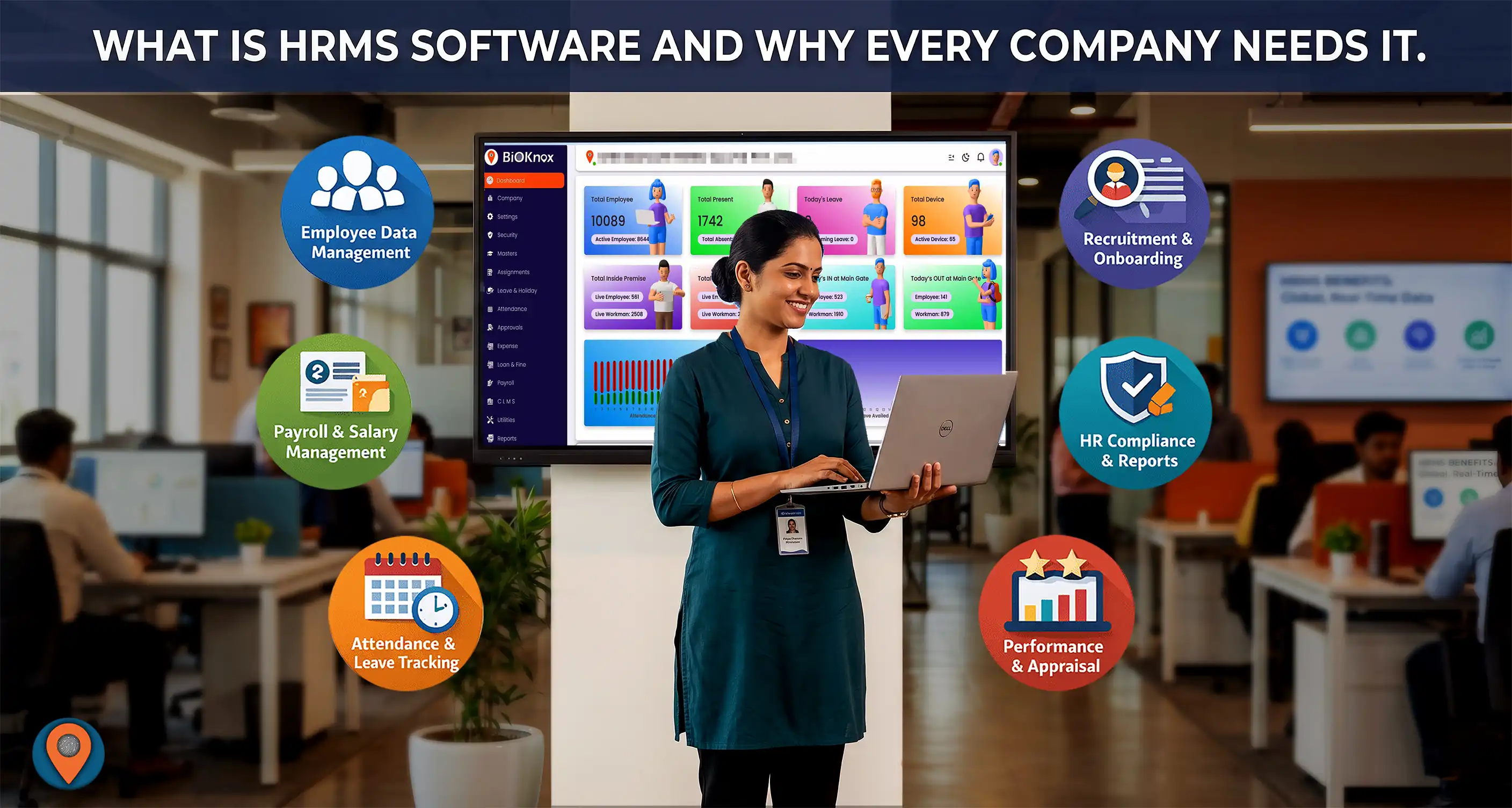
What Is HRMS Software and Why Every Company Needs It
In today’s fastest growing business environment, managing employees efficiently is crucial for organizational success. Companies are constantly looking for ways to streamline HR operations, reduce manual work, and improve workforce productivity. This is where HRMS software plays a vital role.
A Human Resource Management System (HRMS) helps organizations automate and manage their human resource processes such as employee data management, payroll, attendance, leave tracking, and performance evaluation. By using HRMS software, companies can simplify HR tasks, improve accuracy, and focus more on strategic workforce management.
What Is HRMS Software?
HRMS (Human Resource Management System) is a digital software solution designed to manage and automate various HR functions within an organization. It integrates multiple HR processes into a single platform, enabling HR teams to efficiently handle employee information, payroll processing, attendance tracking, leave management, recruitment, workforce management, employee financial modules and performance evaluation. Modern HRMS systems are usually cloud-based and accessible from anywhere, allowing HR professionals and employees to access important information anytime anywhere as per their requirement basis.
Key Modules of HRMS Software
Most HRMS systems include several essential modules that help organizations manage their workforce efficiently.
1. Employee Information Management
HRMS maintains a centralized database of employee details such as personal information, qualification details, last works experience, current job roles & designation, soft copy of all documents, salary structure, and employment history. This eliminates the need for maintaining multiple spreadsheets and documents.
2. Attendance and Leave Management
HRMS software can track employee attendance through biometric devices, mobile applications, or web portals. It also manages leave requests, approvals, and balances automatically.
3. Payroll Management
Payroll processing becomes much easier with HRMS software. Once the HR finalize the attendance and leave of the employee, then it calculates salaries, deductions, tax components, and generates pay slips automatically.
4. Recruitment and Onboarding
The management of the recruitment data is a task of bundles for a HR. The HRMS helps HR teams manage the hiring process by tracking job applications, scheduling interviews, and onboarding new employees efficiently.
5. Performance Management
The KRA & KPI of an employee manage a vital role for his performance tracking, the Organizations can track employee performance, set goals, conduct appraisals, and monitor productivity using the HRMS tools.
6. Employee Self-Service Portal & App
The relation between the Employee & Employer will only survive if there is a complete transparency exist. By using the ESS Portal and mobile apps of the HRMS the Employees can access their information, apply for leave, download pay slips, and update personal details.
Why Every Company Needs HRMS Software
1. Automates HR Operations
Manual HR processes are time-consuming and prone to errors. HRMS software automates routine tasks such as payroll processing, attendance tracking, and employee data management.
2. Improves Accuracy and Compliance
Calculation of Attendance, Leave, Payroll, tax deductions, and statutory compliance can be handled accurately with HRMS software, reducing the risk of human errors.
3. Saves Time and Operational Cost
By automating HR tasks, companies can reduce administrative workload and allow HR professionals to focus on strategic activities like employee engagement and talent development.
4. Enhances Employee Experience
With employee self-service portals, employees can access HR services easily without depending on HR staff for every request. Application to approval all modules can be done through it.
5. Centralized Data Management
HRMS stores all employee information in one centralized system, making it easier to access, update, and analyze workforce data.
6. Supports Business Growth
As organizations grow, managing employees manually becomes difficult and tedious task. HRMS software helps companies scale their HR operations efficiently.
Benefits of HRMS Software for Businesses
Implementing HRMS software offers several advantages for organizations:
- Efficient employee management
- Automatic Attendance & Leave Management
- Automated payroll processing
- Better workforce planning
- Improved HR compliance
- Enhanced employee engagement
- Accurate HR reporting and analytics
These benefits help companies improve productivity and maintain better control over their workforce.
HRMS Software for Small and Large Businesses
HRMS solutions are suitable for companies of all sizes. Small businesses can use HRMS to simplify HR operations and reduce manual workload, while large enterprises can manage complex workforce structures and multi-location employees effectively.
Cloud-based HRMS systems are particularly beneficial because they allow organizations to access HR data remotely and integrate with other business systems.
The Future of HR Management with HRMS
With the increasing adoption of digital technologies, HR departments are rapidly transforming. Modern HRMS solutions now include features such as mobile access, advanced analytics, automation, and AI-driven insights.
Companies that adopt HRMS software gain a competitive advantage by improving workforce efficiency and enabling data-driven HR decisions.
Conclusion
HRMS software has become an essential tool for modern businesses. It simplifies HR operations, improves accuracy, enhances employee experience, and helps organizations manage their workforce more effectively.
By implementing the right HRMS solution, companies can streamline their HR processes, reduce administrative burden, and focus on strategic growth.
If your organization wants to improve HR efficiency and workforce management, adopting a reliable HRMS software solution can be a smart investment for long-term success.
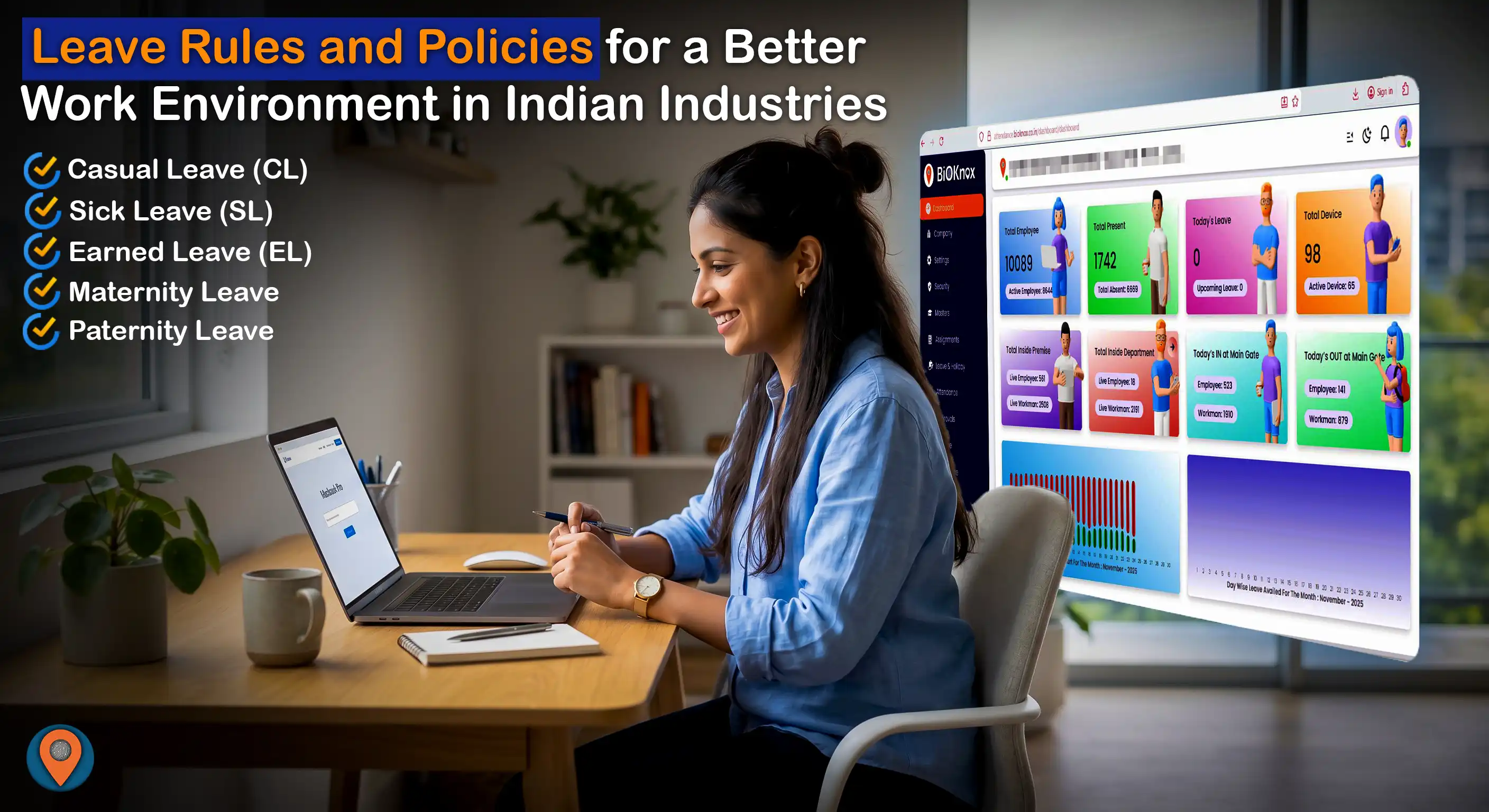
Leave Rules and Policies for a Better Work Environment in Indian Industries
In today’s competitive business environment, employee satisfaction and productivity is the major moto. One of the most critical yet often overlooked aspects of human resource management is a well-structured leave policy. In Indian industries, leave rules are not just about compliance—they play a vital role in maintaining work-life balance, improving employee morale, and ensuring long-term organizational growth.
Understanding the Importance of Leave Policies
Leave policies are not merely administrative rules; they are strategic tools that influence employee engagement and retention. When employees feel they have sufficient time to rest, recover, and manage personal responsibilities, they tend to perform better and remain loyal to the organization.
A good leave policy helps in:
- Reducing employee burnout and stress
- Improving productivity and focus
- Enhancing job satisfaction
- Ensuring legal compliance
- Building a positive workplace culture
Organizations that ignore proper leave structures often face higher attrition rates, low morale, and decreased efficiency.
Legal Framework Governing Leave in India
Before designing any leave policy, it is essential to understand the legal framework in India. Various labor laws govern employee leave entitlements depending on the nature of the business and state regulations.
Key legislations include:
- Factories Act, 1948 (for manufacturing units)
- Shops and Establishments Act (varies by state)
- Maternity Benefit Act, 1961
These laws define minimum leave entitlements, working conditions, and employee rights. While companies can offer more benefits than the law requires, they cannot go below the statutory minimum.
Types of Leave in Indian Organizations
A well-balanced leave policy includes different types of leave to address various employee needs. Below are the most common categories:
1. Casual Leave (CL)
Casual Leave is provided for short-term personal needs or emergencies. Employees can use it for tasks like attending family functions, handling urgent work, or taking a short break.
Typical structure:
- 6 to 12 days per year
- Cannot usually be carried forward
- Requires prior approval except in emergencies
Casual leave ensures flexibility without affecting long-term leave balances.
2. Sick Leave (SL)
Sick Leave is granted when employees are unwell or need medical attention. It is essential for maintaining employee health and preventing workplace illness spread.
Typical structure:
- 6 to 12 days per year
- Medical certificate required for extended leave
- Usually not encashable
Providing adequate sick leave demonstrates that the organization values employee well-being.
3. Earned Leave / Privilege Leave (EL/PL)
Earned Leave is accumulated over time based on the number of days worked. It is often used for planned vacations or long breaks.
Typical structure:
- 15 to 30 days annually
- Accrues monthly
- Can be carried forward (with limits)
- Eligible for encashment
This type of leave is crucial for long-term rest and rejuvenation.
Statutory Leaves in India
Certain leave types are mandatory under Indian labor laws. Companies must comply with these regulations to avoid legal issues.
Maternity Leave
Maternity leave is a legal right for female employees. It allows them to take time off before and after childbirth.
Key provisions:
- 26 weeks of paid leave (for first two children)
- Option for work-from-home after maternity period (if applicable)
This policy ensures both mother and child receive proper care during critical periods.
Paternity Leave
While not mandatory for private companies, paternity leave is increasingly being adopted as a progressive policy.
Typical structure:
- 5 to 15 days
It promotes gender equality and supports shared parenting responsibilities.
Public Holidays
Organizations must provide national and regional holidays.
Common mandatory holidays:
- Republic Day
- Independence Day
- Gandhi Jayanti
Additionally, companies may include state-specific festivals based on location.
Modern Leave Policies for a Better Work Culture
To create a truly employee-friendly environment, many companies are going beyond traditional leave systems and introducing modern policies.
Paid Time Off (PTO)
PTO combines different leave types into a single pool, allowing employees to use leave as per their needs.
Benefits:
- Simplifies leave management
- Provides flexibility
- Reduces administrative complexity
Mental Health Leave
Mental health is gaining recognition as an important aspect of employee well-being.
Typical structure:
- 2 to 5 days annually
This helps employees manage stress, anxiety, and burnout more effectively.
Birthday Leave
A simple yet impactful initiative where employees get a day off on their birthday.
Benefits:
- Boosts morale
- Enhances employee satisfaction
Marriage Leave
Employees are granted leave during their wedding period.
Typical structure:
- 3 to 7 days
Bereavement Leave
This leave supports employees during the loss of a close family member.
Typical structure:
- 3 to 5 days
It reflects compassion and empathy in organizational culture.
Essential Leave Rules and Guidelines
Apart from defining leave types, organizations must establish clear rules to ensure smooth operations.
Leave Approval Process
- Employees should apply in advance for planned leaves
- Emergency leaves can be approved retrospectively
- Managers should ensure minimal disruption to work
Using HRMS software for leave requests and approvals can streamline this process.
Leave Carry Forward Policy
- Earned Leave can be carried forward with a cap (usually 30–45 days)
- Casual and Sick Leave generally lapse at year-end
This prevents excessive accumulation and encourages employees to take breaks.
Leave Encashment
Employees may be allowed to encash unused earned leave:
- During resignation
- At the end of the year (depending on policy)
This adds financial value to leave benefits.
Sandwich Leave Policy
This rule counts holidays or weekends between leave days as part of leave.
Example:
If an employee takes leave on Friday and Monday, Saturday and Sunday may also be counted as leave. However, many modern companies are moving away from strict sandwich policies to improve employee satisfaction.
Best Practices for an Effective Leave Policy
A well-designed leave policy is not just about rules—it is about creating a positive employee experience.
1. Transparency
Clearly document and communicate leave policies to all employees. Avoid ambiguity to prevent misunderstandings.
2. Flexibility
Allow employees to choose how they use their leave. Flexible policies increase trust and engagement.
3. Fairness
Ensure equal leave benefits across all levels of employees. Avoid discrimination or bias.
4. Encourage Leave Utilization
Employees should be encouraged to take their leaves instead of hoarding them. Regular breaks improve productivity.
5. Use Technology
Implement HRMS software to manage:
- Leave balances
- Approval workflows
- Reports and analytics
This reduces manual errors and improves efficiency.
Industry-Specific Leave Variations
Different industries may require customized leave structures based on their operational needs.
IT and Corporate Sector
- Flexible working hours
- Work-from-home options
- PTO-based leave system
Manufacturing Sector
- Strict adherence to labor laws
- Structured leave schedules
- Shift-based leave planning
Retail and Service Industry
- Rotational weekly offs
- Limited peak-season leaves
- Compliance with state laws
Recommended Ideal Leave Structure
An ideal leave policy for Indian organizations could look like this:
- Casual Leave: 8 days
- Sick Leave: 8 days
- Earned Leave: 18 days
- Public Holidays: 10 days
- Optional Leave: 3–5 days
This structure balances employee needs with business continuity.
Impact of a Good Leave Policy on Business Growth
Organizations that invest in employee well-being through effective leave policies experience multiple benefits:
- Higher employee retention
- Increased productivity
- Strong employer branding
- Better workplace relationships
Employees who feel respected and valued are more likely to contribute positively to organizational success.
Conclusion
A well-structured leave policy is a cornerstone of a healthy work environment in Indian industries. It is not just about granting time off—it is about creating a culture of trust, respect, and balance. By combining statutory compliance with modern, flexible leave practices, organizations can build a workplace where employees feel motivated, supported, and engaged. In the long run, such policies not only benefit employees but also drive sustainable business growth.

An interview call letter is a formal communication sent by a company or organization to a job applicant inviting them to attend an interview for a specific position. The letter usually includes details such as the date, time, and location of the interview, the name and position of the interviewer, and any additional instructions or requirements for the interview.
The interview call letter is typically sent after a candidate has been shortlisted for an interview, based on their application, resume, or other screening processes. It is an important document that serves as a confirmation of the interview appointment and provides the candidate with the necessary details and instructions to prepare for the interview.
The interview call letter may also include information about the company, its values, and the position for which the candidate has applied. It may also mention any documents or materials that the candidate is required to bring to the interview, such as a copy of their resume, educational certificates, or work samples.
The interview call letter is usually sent by email or post, and the candidate is expected to confirm their attendance by responding to the letter within a specified time frame. It is important for candidates to read the interview call letter carefully and follow the instructions provided to ensure that they are prepared for the interview and make a positive impression on the interviewer.

Employee onboarding is the process of integrating a new employee into an organization and preparing them to become a productive member of the team. The onboarding process begins with the employee's acceptance of a job offer and continues through their first few weeks or months on the job.
Effective onboarding is critical to the success of new employees as it helps to:
Make a positive first impression: The onboarding process can help new employees feel welcomed and valued, and create a positive first impression of the organization.
Understand company culture: Onboarding helps new employees understand the organization's values, mission, culture, and expectations.
Learn job responsibilities: New employees are introduced to their roles, job responsibilities, and performance expectations.
Meet colleagues and managers: Onboarding provides an opportunity for new employees to meet their colleagues, managers, and other stakeholders, and start building relationships with them.
Training and development: Onboarding can include training and development programs to help new employees acquire the knowledge, skills, and resources needed to perform their job effectively.
Increase retention and engagement: A well-designed onboarding program can increase employee engagement and job satisfaction, and ultimately reduce turnover.
The onboarding process may include various activities, such as completing paperwork, orientation sessions, job shadowing, mentoring, and training. The process can be personalized to the employee's role, level, and experience.
Effective onboarding can help new employees become productive and engaged members of the organization, and contribute to the organization's success.

TDS on salary refers to the tax deducted at source on the income received by an employee from their employer. It is a form of advance tax, which is deducted by the employer from the salary of the employee and remitted to the government on their behalf.
The TDS on salary is calculated based on the income tax slab rates applicable to the employee, and the amount is deducted from their gross salary before the salary is credited to their bank account. The employer is responsible for deducting TDS on salary and remitting it to the government within the specified due dates.
The TDS on salary is deducted on a monthly basis, and the amount deducted is reflected in the employee's salary slip. The TDS on salary is based on various factors, including the employee's salary, allowances, and deductions.
The TDS on salary is calculated based on the following formula: TDS on Salary = (Gross Salary – Deductions) x Income Tax Rate
The gross salary includes the basic salary, allowances, and other benefits received by the employee. The deductions include various exemptions and deductions allowed under the Income Tax Act, such as HRA, LTA, medical expenses, and investments made under Section 80C.
In case the TDS deducted by the employer is more than the actual tax liability of the employee, the employee can claim a refund of the excess amount while filing their income tax return. On the other hand, if the TDS deducted is less than the actual tax liability, the employee is required to pay the remaining tax amount while filing their income tax return.
Therefore, TDS on salary is an important aspect of income tax for salaried individuals, and it helps to ensure that individuals pay their income tax liabilities in a timely and efficient manner.

What is Professional Tax?
Professional tax is a tax that is levied by some state governments in India on individuals who earn a living through professions, trades, or employment. It is a tax on income similar to income tax, but it is levied by the state government, and the revenue generated from it is used to fund various state welfare and development schemes. The professional tax is levied on the income of individuals who are employed in government or non-government organizations, self-employed professionals, traders, and individuals practicing a profession, such as doctors, lawyers, architects, chartered accountants, etc. The tax amount varies depending on the state, and the amount is usually based on the income or the monthly salary of the individual. Employers are responsible for deducting professional tax from the salaries of their employees and remitting it to the state government. Self-employed individuals are required to pay the professional tax on their own. The professional tax is an important source of revenue for state governments, and it is used to fund various development projects and social welfare schemes, such as education, healthcare, and infrastructure. It is important to note that failure to pay professional tax can result in penalties and fines. Therefore, it is essential for individuals and employers to ensure that they comply with the professional tax regulations in their respective states.
Key Features
• Levied by State Governments
• Applicable to employees, professionals, and businesses
• Deducted by employers from salary
• Maximum limit: ₹2,500 per year (as per Article 276 of the Constitution)
Who Was Liable to Pay PT(Professional Tax)?
• Salaried employees (private & government sector)
• Self-employed professionals (doctors, lawyers, consultants)
• Business owners, companies, and LLPs
Employers were responsible for deducting PT from salaries and depositing it with the government.
Professional Tax States in India (2026 Overview)
Professional Tax is not applicable in all states.
States Where PT is Applicable (2026)
• Maharashtra
• Karnataka
• West Bengal
• Tamil Nadu
• Telangana
• Andhra Pradesh
• Gujarat
• Assam
• Kerala
• Meghalaya
• Tripura
• Sikkim
• Madhya Pradesh
• Chhattisgarh
• Jharkhand
• Bihar
States / UTs Where PT is NOT Applicable (2026)
• Delhi
• Uttar Pradesh
• Haryana
• Punjab
• Rajasthan
• Himachal Pradesh
• Uttarakhand
• Jammu & Kashmir
• Goa
• Chandigarh
• Dadra & Nagar Haveli
• Daman & Diu
• Lakshadweep
• Andaman & Nicobar Islands
• Arunachal Pradesh
• Mizoram
• Nagaland
• Manipur
State-wise Professional Tax Slabs (2026)
Maharashtra Professional Tax
• Up to ₹7,500/month → Nil
• ₹7,501 – ₹10,000 → ₹175
• Above ₹10,000 → ₹200 (₹300 in Feb)
👉 One of the most structured PT systems in India.
Karnataka Professional Tax
• Up to ₹15,000/month → Nil
• Above ₹15,000 → ₹200/month
👉 Flat and simple structure.
West Bengal Professional Tax
• ₹10,001 – ₹15,000 → ₹110
• ₹15,001 – ₹25,000 → ₹130
• ₹25,001 – ₹40,000 → ₹150
• Above ₹40,000 → ₹200
👉 Highly tiered structure.
Tamil Nadu Professional Tax
• Semi-annual payment system
• Up to ₹21,000 (6 months) → Nil
• Above ₹75,000 → ₹1,095 (half-yearly)
Telangana Professional Tax
• Up to ₹15,000 → Nil
• Above ₹15,000 → ₹200/month
Gujarat Professional Tax
• Up to ₹12,000 → Nil
• ₹12,001 – ₹20,000 → ₹150
• Above ₹20,000 → ₹200
Kerala Professional Tax
• Paid half-yearly
• Max: ₹1,250 per half-year
Madhya Pradesh Professional Tax
• Up to ₹18,750 → Nil
• Above → ₹208/month
Andhra Pradesh Professional Tax
• Up to ₹15,000 → Nil
• Above → ₹200/month
Assam Professional Tax
• ₹10,000 – ₹15,000 → ₹150
• Above ₹15,000 → ₹208
________________________________________
Other States
States like Jharkhand, Bihar, Chhattisgarh, Meghalaya, Tripura, and Sikkim also levy PT with similar slabs (generally ₹200/month max).
Employer Compliance for Professional Tax (2026)
For states where PT is applicable, employers must ensure:
Mandatory Responsibilities:
✔️ PT Registration Certificate (PTRC)
✔️ Employee PT deduction
✔️ Monthly/quarterly payment
✔️ Filing periodic returns
✔️ Maintaining PT records
Failure to comply can result in:
• Penalties
• Interest on late payment
• Legal notices
Impact on Payroll & HRMS Systems
For companies operating in multiple states, PT management becomes complex.
Key Challenges:
• Different slab structures
• State-specific compliance rules
• Monthly vs half-yearly payments
• Employee location-based taxation
Solution:
👉 Use a smart BiOKnox HRMS Payroll System that supports:
• Multi-state PT configuration
• Automated deduction
• Compliance alerts
• Return generation
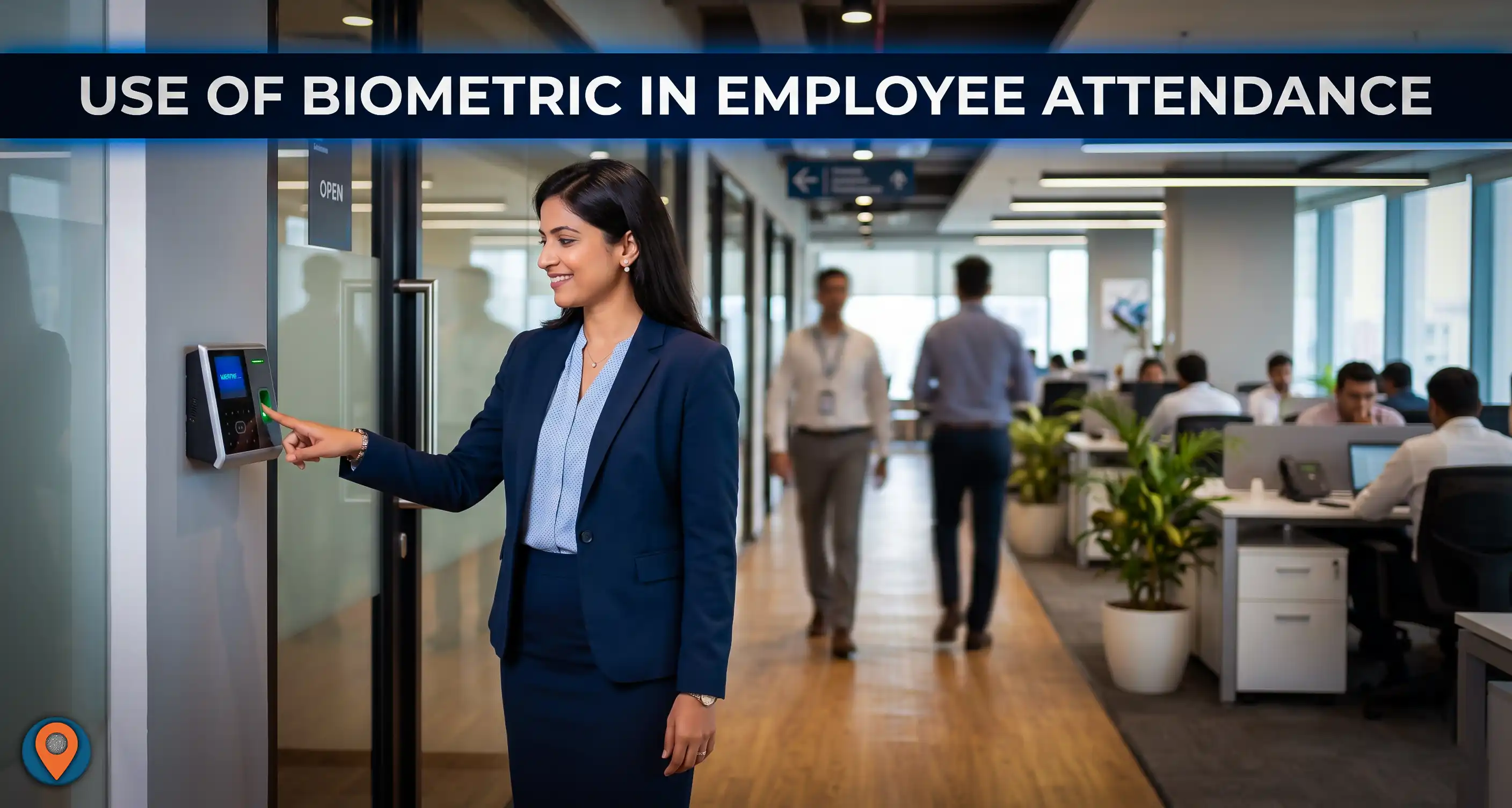
The use of biometric technology in employee attendance tracking has become increasingly popular in recent years. Biometric attendance systems use a person's unique biological characteristics, such as fingerprints, facial features, iris patterns, or voiceprints, to identify and verify their identity and record their attendance.
Here are some of the benefits of using biometric technology in employee attendance tracking:
Accurate and Reliable: Biometric attendance systems are highly accurate and reliable compared to traditional attendance tracking methods such as manual registers or card-swipe systems. It eliminates the chances of errors or fraud, as the biometric data cannot be replicated.
Convenient: Biometric attendance systems are user-friendly and convenient for employees. They can quickly and easily clock in and out by scanning their biometric data, without the need for physical keys or cards.
Cost-Effective: Biometric attendance systems can be cost-effective in the long run, as they reduce the need for manual attendance tracking methods, which can be time-consuming and prone to errors.
Improved Security: Biometric attendance systems provide a higher level of security, as the biometric data is unique to each individual and cannot be easily duplicated or shared.
Integration with Payroll Systems: Biometric attendance systems can be easily integrated with payroll systems, allowing for quick and accurate calculation of employee salaries based on their recorded work hours.
Overall, the use of biometric technology in employee attendance tracking offers several benefits, including increased accuracy, convenience, cost-effectiveness, improved security, and integration with payroll systems. However, it is important to ensure that proper security measures are in place to protect the biometric data and prevent unauthorized access or misuse.
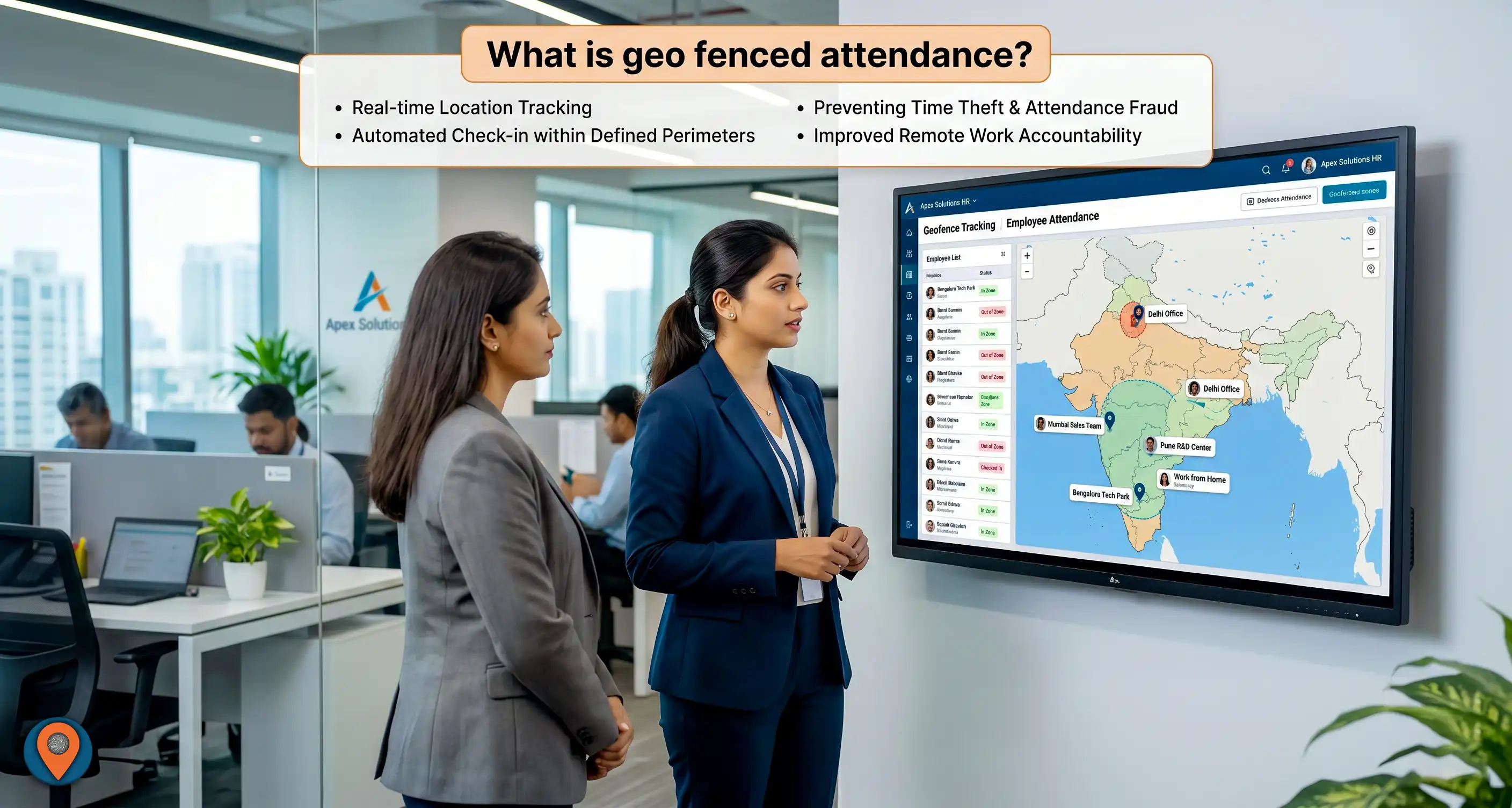
Geo-fenced attendance is a modern attendance tracking system that uses GPS technology to monitor employee attendance and work hours. In this system, the employees are required to use a mobile application installed on their smartphones or other GPS-enabled devices to record their attendance when they enter or exit a pre-defined geographical area, also known as a geofence.
A geofence is a virtual boundary created by using GPS technology to define a specific geographic area. When an employee enters or exits this predefined boundary, the mobile application automatically records the time and location of the employee, which can then be used to calculate their work hours.
The use of geofenced attendance allows employers to accurately track employee work hours and prevent any potential fraudulent practices. It also eliminates the need for manual attendance tracking methods such as paper-based registers or card-swipe systems, which can be time-consuming and prone to errors.
Additionally, geofenced attendance systems can be integrated with payroll systems, allowing for quick and accurate calculation of employee salaries based on their recorded work hours.
Overall, geofenced attendance is a modern and efficient method of tracking employee attendance and work hours, which can provide greater accuracy, efficiency, and reliability in the process.

Overtime in an industry refers to the additional work hours that an employee works beyond their regular work hours. This extra time could be working beyond the specified number of hours per day, week, or month. In some cases, employees may also work on weekends or holidays, which are also considered overtime.
The purpose of overtime in an industry is to ensure that the company meets the production or service demands that cannot be met during the regular work hours. Overtime work is also necessary to meet the deadline of a project, cope up with the unexpected increase in demand, or complete any urgent or essential task.
Overtime work is usually compensated with additional pay, which could be a fixed rate or a percentage of the regular pay. The rate of overtime pay may vary based on the company's policies, industry standards, and labor laws of the country.
It is important to note that excessive overtime work can lead to burnout, stress, and decreased productivity of employees. Therefore, it is important for companies to monitor overtime work and ensure that employees are given adequate breaks and rest periods.
In conclusion, overtime work in an industry is necessary to meet production or service demands and is compensated with additional pay. However, it is important to balance overtime work with adequate rest and breaks to avoid burnout and stress among employees.

Leave reimbursement refers to the payment made to employees for unused leave days that they are entitled to according to their employment contract or company policies. In other words, when an employee does not utilize their full leave entitlement during a particular period, the employer may provide reimbursement for the unused days.
The reimbursement amount may vary based on the company's policy or employment agreement, and it could be either a full reimbursement or a percentage of the employee's salary for the unused leave days. The purpose of leave reimbursement is to encourage employees to take their entitled leave and avoid burnout, while also providing financial compensation for the unused leave.
It is important to note that leave reimbursement is different from the payment made to employees for working overtime or working during holidays. These payments are made in addition to the regular salary and are based on the additional time worked, whereas leave reimbursement is paid for leave days that were not utilized by the employee.
Leave reimbursement is a common practice in many companies and is often included in the company's policies or collective bargaining agreements. It is important for employees to understand their rights regarding leave reimbursement and ensure that they are adequately compensated for their unused leave days.

Compensatory off, also known as comp off, is a type of leave given to an employee in lieu of the extra hours worked or days worked beyond their regular work schedule. This leave is given as a compensatory measure for the additional time and effort put in by the employee.
For example, if an employee works on a weekend or a public holiday, they may be entitled to compensatory off for that day. The employee can then take the compensatory off on a mutually agreed date, usually within a specific time frame, which is determined by the company's policies.
Compensatory off is not the same as overtime pay. Overtime pay is additional pay given to the employee for working extra hours, while compensatory off is a form of leave given in exchange for the extra hours worked.
Compensatory off is a common practice in many companies and is usually mentioned in the company's policies or collective bargaining agreements. It is important for employees to understand their rights regarding compensatory off and ensure that they are adequately compensated for their extra work hours.
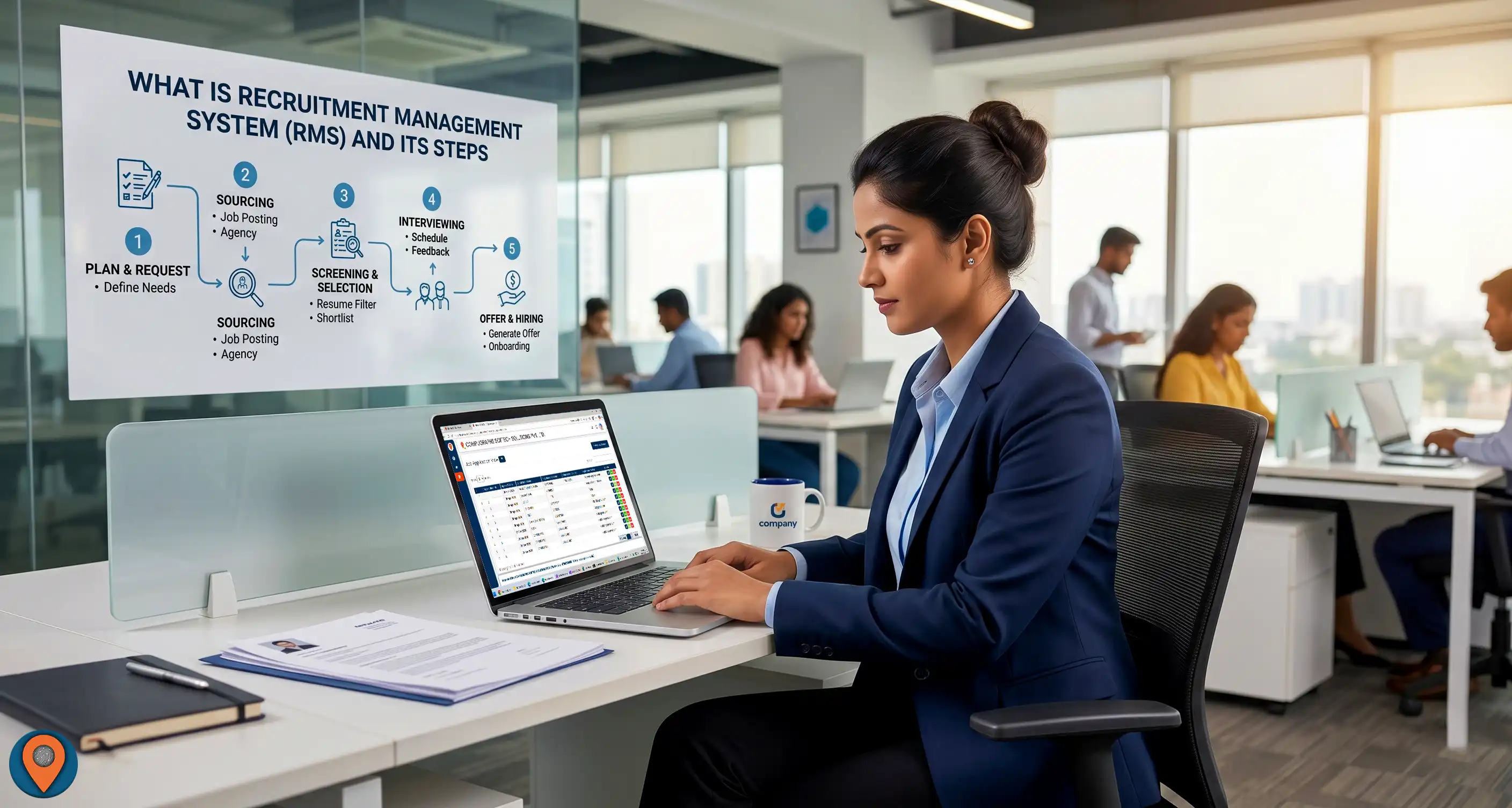
A Recruitment Management System (RMS) is a software application that is designed to manage the entire recruitment process, from job posting to candidate selection. It automates the entire process of recruitment and helps organizations to streamline their recruitment process, improve candidate quality and reduce recruitment costs.
The following are the typical steps involved in a Recruitment Management System:
Job Posting: The first step in recruitment management is to create a job posting for the vacancy. This includes creating a job description, identifying the necessary qualifications, and creating a job posting that can be advertised on various job boards, social media platforms, and other sources.
Resume Screening: Once job postings are advertised, the resumes and applications from the candidates start flowing in. In this step, resumes are screened, and candidates are shortlisted based on the qualifications and experience mentioned in the job description.
Interview Scheduling: After shortlisting the resumes, the next step is to schedule interviews with the candidates. The recruitment management system can automate the scheduling process and notify the candidates of the interview timings.
Interviewing: This is the stage where candidates are interviewed by hiring managers, HR representatives, and other stakeholders to assess their suitability for the job.
Background Verification: After the interview stage, the recruitment management system may conduct background verification checks on the candidates, such as verifying their employment history, educational qualifications, and other relevant details.
Offer and On boarding: If the candidate clears the previous steps, the final step is to extend a job offer to the candidate and initiate the on boarding process. This includes providing the necessary paperwork, conducting orientation, and introducing the new employee to the company culture and processes.
Overall, the recruitment management system can automate and streamline the recruitment process and help organizations to hire the right candidates efficiently and effectively.
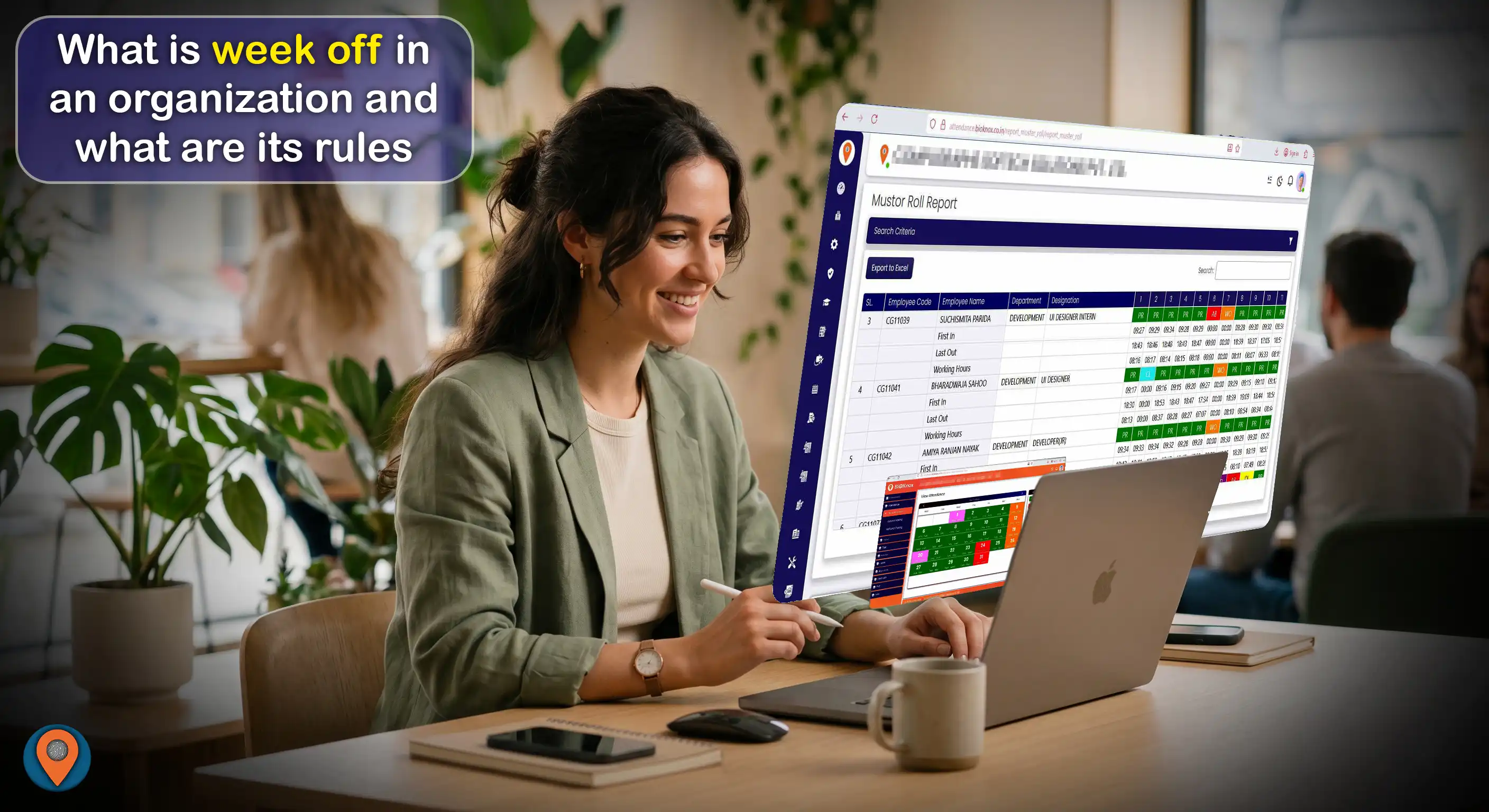
A week off in an organization is a designated period of rest for employees, typically one or two days in a week, during which they are not required to work. The specific rules regarding week off may vary depending on the organization's policies and local labor laws, but generally include the following:
Frequency: The frequency of the week off may vary depending on the organization's policies and industry standards. In most cases, employees are entitled to at least one day off per week.
Rotation: The organization may have a rotation policy for the week off, where employees take turns to have their day off on different days of the week. This is to ensure that the workload is distributed evenly and to prevent understaffing on any particular day.
Compensation: If an employee is required to work on their designated day off, they may be entitled to compensation in the form of overtime pay or a compensatory day off.
Approval: Employees may need to obtain approval from their supervisor or manager before taking their designated day off, and may need to provide sufficient notice in advance.
Holidays: If a public holiday falls on an employee's designated day off, they may be entitled to an additional day off or compensation in lieu of the holiday.
Leave balance: If an employee is unable to take their designated day off due to work-related reasons, their leave balance may be adjusted accordingly.
Overall, the rules regarding week off in an organization should be fair, consistent, and comply with local labor laws.

The policy of leave in an industry may vary depending on the specific industry, the company's policies, and the country's labor laws. However, most companies typically have policies for various types of leave, such as:
Annual Leave: This is the paid time off that an employee is entitled to take every year. The number of annual leaves may vary depending on the company's policy, industry, and local labor laws. In some industry it may also called as Casual Leave, Earned Leave Etc.
Sick Leave: This is the leave that an employee can take when they are ill or injured. Sick leave policies may vary in terms of the number of days of leave that an employee can take, and whether or not the leave is paid.
Maternity and Paternity Leave: This is the leave that is granted to employees when they become parents. The length of maternity and paternity leave may vary depending on the company's policy and local labor laws.
Bereavement Leave: This is the leave that an employee can take when a family member or a close relative passes away. The number of bereavement leave days may vary depending on the company's policy.
Personal Leave: This is the leave that an employee can take for personal reasons, such as attending to personal matters, or taking care of a sick family member. Personal leave policies may vary in terms of the number of days of leave that an employee can take.
Overall, the policy of leave in an industry should comply with the local labor laws and be fair and consistent for all employees.

EPFO stands for Employees' Provident Fund Organisation, which is a statutory body under the Ministry of Labour and Employment, Government of India. The EPFO is responsible for administering the Employees' Provident Fund (EPF), Employees' Pension Scheme (EPS), and Employees' Deposit-Linked Insurance Scheme (EDLI) for the benefit of employees in India.
The policies of EPFO are aimed at providing social security to employees in the organized sector. Some of the main policies of EPFO include:
Mandatory Contribution: Employers and employees are required to contribute a certain percentage of the employee's basic salary and dearness allowance (DA) towards the EPF, EPS, and EDLI schemes.
Interest Rate: The EPFO announces an interest rate for the EPF scheme every year, which is credited to the member's account at the end of the financial year.
Withdrawal: Members can withdraw their EPF balance after retirement or resignation from their job. However, partial withdrawals are allowed in case of specific reasons such as medical emergencies, marriage, or education.
Nomination: Members are required to nominate their family members who will receive the EPF corpus in case of their untimely demise.
Grievance Redressal: EPFO has a robust grievance redressal mechanism in place to address any grievances or disputes that members may have.
Overall, the policies of EPFO are aimed at ensuring that employees have a reliable and secure retirement corpus, as well as providing financial security to their families.


